


Keep PDF - PDF Reader
3.935.00 Reviews
App Specs
- Version
- 3.0.4
- Updated On
- License
- Free
- Downloads
- 1,000,000+
- Developer
- Galiana Lian
- Categories
- Business
- Platform
- Android
Screenshots
 Analysis by AppCompare
PDFs have a way of turning small tasks into little time sinks: finding the right file, jumping to the clause you need, or marking up a page before sending it back. I look for a reader that makes those everyday jobs feel straightforward rather than adding another layer of file management. Keep PDF - PDF Reader is aimed at that practical need, and its simple presentation is the first thing I noticed.
When a basic PDF task becomes a chore
My test for a PDF app is less about whether it can do everything and more about whether it gets out of the way when I only have a minute. A crowded interface can slow down even simple reading, while a bare viewer may leave me reaching for another app as soon as I need to search or mark a page. Keep PDF sits in the middle: it presents itself as a business app, but the useful appeal is just as clear for personal documents, study material, and forms.
That focus matters when a file arrives unexpectedly. Imagine opening a work document on the way to a meeting and needing to check one section, or looking over a travel confirmation while away from a computer. A reader that brings the document and its basic tools together can save the hassle of switching between a viewer and an editor. I would still keep important files organized before I need them, but the app’s straightforward approach makes quick, on-the-spot reading feel like its natural role.
First Impressions: A User-Friendly Interface
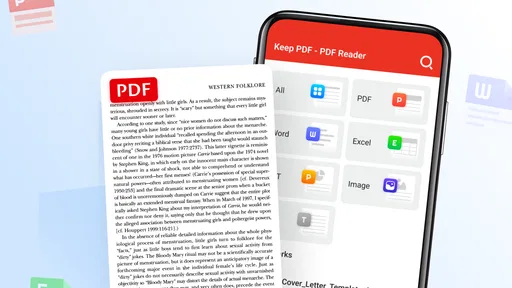
Right off the bat, Keep PDF - PDF Reader impresses with its clean and intuitive interface. It's like a breath of fresh air for anyone who spends time with PDFs. You know how some apps just bombard you with options, and you end up feeling like you're in a maze? Well, that's not the case here. Everything is laid out in a way that makes sense, which is super refreshing.
Features That Shine
Now, let's talk features. This app is packed with everything you need to handle PDFs like a pro. Here are a few highlights:
- Annotation Tools: Need to highlight or add notes? Easy peasy. The annotation tools are straightforward and effective.
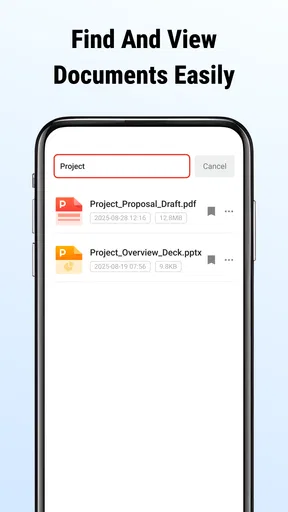
- Text Search: Looking for something specific in a massive document? The search function is fast and reliable.
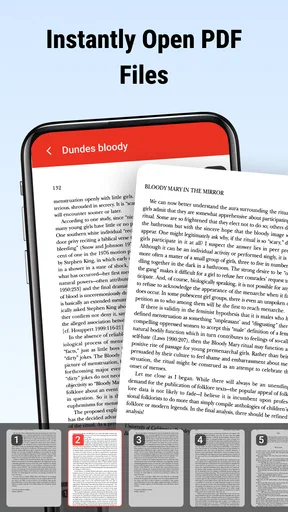
- Page Management: Rearrange, delete, or add pages with just a few taps. It's like having a mini desktop editor in your pocket.
Those tools are most useful when I have a clear, limited task. Before reviewing a long report, I can search for a term instead of scrolling page by page. For a document that needs discussion, highlighting a passage and adding a note can help me keep my thoughts close to the relevant text. Page management is a different kind of help: it suits someone preparing a cleaner copy from pages they already have, rather than a reader who only wants to view a file.
A practical habit is to search for a distinctive word or phrase, then check the surrounding paragraph before acting on the result. Search gets me to a likely location quickly, but context still matters; a term may appear in a heading, footnote, or repeated section. Likewise, I would review a rearranged or edited document before sharing it, especially when page order affects meaning. These small checks keep convenience from turning into a careless mistake.
Worth Reading Before You Choose

EA SPORTS FC Mobile 26 Is a Bigger Football Game, but It Takes Time

Flipboard Shows What News Apps Must Do Beyond the Feed

Switching to Android Auto Means Rethinking Your Driving Routine

Google Calendar Makes a Crowded Week Easier to Manage

Ludo King Makes the Most of the Minutes Between Plans

Baby Panda World Brings Quick Play to Modern Phones, but Its Game Library Feels Busy
Performance and Stability
One of the things that can make or break an app is how well it performs. Thankfully, Keep PDF delivers on this front. During my time using it, I didn't experience any crashes or slowdowns. Whether you're zooming in on a detailed diagram or flipping through pages of text, everything runs smoothly. It's almost like having a trusty sidekick that never lets you down.
For day-to-day reliability, I would judge it by whether it opens the documents I actually need and keeps navigation comfortable, not just by how quickly a short file appears. Large or image-heavy PDFs can be a tougher test for any phone, so I would avoid leaving an essential document until the last moment: open it beforehand, find the important page, and make sure the text or diagrams are legible on your screen. That simple check is useful whether the file is a client brief, a class reading, or a manual.
If your work depends on reviewing very large technical documents, complex forms, or a shared team library, a desktop PDF editor or a service built around collaboration may be a better fit. A mobile reader is convenient for checking and making modest changes, but a larger screen is easier for comparing details, and a purpose-built workflow can be better for coordinating revisions. I see this app as a handy phone option, not a substitute for every document system.
Compatibility and Accessibility
The app is available for both Android and iOS, making it accessible to a wide audience. Whether you're team iPhone or Android, Keep PDF - PDF Reader has got you covered. Plus, it supports multiple file formats, so importing and exporting documents is a breeze.
Keep PDF is free, is rated for Everyone, and is developed by Galiana Lian. It was released on October 13, 2025, and its current version is 3.0.4, with a minimum OS requirement of 7.0. Its audience is broad: the app has over one million installs, an average rating of 3.7 from around 1,400 ratings, and 28 written reviews. I take that rating as a reminder to match the app to the job rather than assume every reader will want the same depth of tools.
For someone deciding whether to try it, the important question is how PDFs arrive in their routine. If you regularly open documents from email, storage, or a work handoff, a dedicated reader can be easier than relying on whichever viewer happens to open a file by default. If you only look at a PDF once in a while and your current phone viewer already handles your needs, installing another app may not save enough effort to matter.
A Few Words on Usability
What I really appreciate is how Keep PDF caters to both casual users and power users. If you're just looking to read through a document, you won't feel overwhelmed. But if you need to dive deep into editing and managing PDFs, the app provides all the necessary tools without any fuss.
There is a useful distinction between being able to edit pages and having a full professional publishing workflow. The page tools are handy when I need to tidy a document for a practical reason, but I would not choose a phone-first reader as my main tool for substantial layout work or detailed review across several files. Before making edits, it is sensible to keep the original copy intact and check the resulting document, particularly if the file is important or will be shared with others.
For a student, a sensible routine is to open a reading, search for a key term, and mark passages that deserve a second look. For a small-business owner, it could be checking a supplier document and removing an irrelevant page before sending a copy onward. For a casual user, it may simply mean opening a PDF and reading without getting lost in extra controls. Those are different needs, but they all benefit from having the basic actions close at hand.
There are also situations where I would skip it. If you need collaborative comments, cloud-based document administration, OCR for scanned pages, or advanced signing and form workflows, I would first look for an app that clearly centers those specific tasks. A simple reader can be pleasant precisely because it does not make every session feel complicated; that same simplicity may be limiting when a specialist workflow is essential.
How it fits beside other PDF options
The usual alternatives fall into two broad groups: the viewer already built into a phone or file app, and a feature-heavy PDF editor. The built-in option is often enough for occasional reading, so there is no reason to switch just for the sake of having another icon. A fuller editor may suit people who routinely handle signatures, forms, shared feedback, or complex changes. Keep PDF makes most sense between those extremes, for readers who want useful document tools without treating every PDF as a project.
That middle ground is valuable when I am away from a desk. I can look for a passage, make a note, or adjust pages without opening a larger workstation-style tool. The trade-off is that a phone screen remains a phone screen: long passages and detailed layouts can be more comfortable on a tablet or computer. I would choose the device as carefully as the app when readability matters.
One small workflow tip is to think about the next action before opening a document. If I only need to read, I avoid making unnecessary edits. If I need to send a revised copy, I take a moment to confirm the page order and review the finished file. That separates quick reading from document preparation and helps prevent accidental changes from becoming part of the version I share.
Who will get the most from it
I can see this being a good match for people who handle PDFs regularly but do not need a specialized document platform: students reviewing course material, employees checking reports on a phone, or anyone who wants search and basic page tools close by. It is especially appealing if a cluttered interface makes you hesitate before opening a file. The app’s uncomplicated presentation is not just cosmetic; it reduces the number of decisions between receiving a document and getting to the part you need.
It is less compelling for someone who rarely reads PDFs, is already happy with a built-in viewer, or expects a complete desktop editing suite on a mobile device. I would also choose a more specialized option when privacy controls, team review, or sophisticated form handling are central to the task, rather than assuming that a general reader covers every professional requirement.
Wrapping Up: Is It Worth It?
So, after spending some quality time with Keep PDF - PDF Reader, would I recommend it? Absolutely. Whether you're a student, a professional, or just someone who likes to keep their PDFs in check, this app is worth checking out. Its combination of a user-friendly interface and robust features makes it stand out in the sea of PDF readers. Plus, the fact that it runs smoothly and efficiently is just the cherry on top.
If you're interested in making your PDF experience a whole lot easier, give Keep PDF a try. You might just find it to be your new go-to app.
My recommendation is strongest if you want a free, approachable way to read and handle PDFs on your phone, and you will use search, annotations, or page management often enough to justify adding a dedicated app. If you need a highly specialized workflow, compare alternatives around that exact need before committing your documents to a new routine. For everyday reading and modest document jobs, the appeal is simple: less hunting through pages, fewer tool switches, and a more direct path from opening a PDF to finishing what you came to do.
Pros
- Fast and intuitive user interface.
- Supports multiple file formats.
- Offers robust annotation tools.
- Offline access to documents.
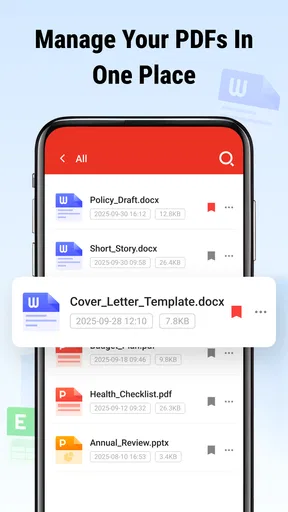
- Easy document organization.
Cons
- Limited cloud storage options.
- Occasional ads in free version.
- Some features require in-app purchases.
- No real-time collaboration feature.
- Can be resource-heavy on older devices.
FAQs for Keep PDF - PDF Reader
What features does Keep PDF - PDF Reader offer?
Keep PDF - PDF Reader provides a comprehensive suite of features including the ability to view, annotate, and manage PDF files. Users can highlight text, add comments, and fill out forms directly within the app. Additionally, it supports cloud storage integration, allowing seamless access to documents across devices.
Is Keep PDF - PDF Reader free to use?
Keep PDF - PDF Reader offers a free version with basic functionalities ideal for everyday use. However, for advanced features such as enhanced editing tools and premium cloud integration, a subscription or one-time purchase may be required. This ensures users can choose the plan that best fits their needs.
Can I use Keep PDF - PDF Reader offline?
Yes, Keep PDF - PDF Reader allows you to access and read PDF files offline. Once documents are downloaded to your device, you can open and review them without an internet connection. This is particularly useful for users who frequently travel or have limited connectivity.
Is Keep PDF - PDF Reader available on both Android and iOS?
Keep PDF - PDF Reader is available for both Android and iOS platforms, ensuring a wide range of device compatibility. Users can download the app from Google Play Store for Android devices and the Apple App Store for iOS devices. This cross-platform availability makes it a versatile choice for many users.
Does Keep PDF - PDF Reader integrate with cloud storage services?
Yes, Keep PDF - PDF Reader integrates with major cloud storage services such as Google Drive, Dropbox, and OneDrive. This feature allows users to easily sync their documents and access them from any device. It simplifies document management by keeping all your files organized and accessible.


